Platform: iOS Price: Free iTunes Download: AT&T Code Scanner - QR Code Reader Publisher: AT&T Inc. Website: http://www.wireless.att.com Version: 2.0.24 Requirements: Compatible with iPhone, iPod touch (4th generation), iPad 2 Wi-Fi, and iPad 2 Wi-Fi + 3G. Requires iOS 4.0 or later.
Features
reads UPC, QR and Data Matrix
Toggle between UPC and QR or Data Matrix codes
History menu allows quick reference to your last 100 scans
Customizable personal profile
Adjustable sound and vibrate scan settings
Auto confirmation button for quicker results
Installation Instructions
Open up the product page in the Apple App Store on your phone or in iTunes. You have the choice of searching for "AT&T Code Scanner", using this iTunes download Link or ( if you already have a QR Code App on your phone ) you can scan the QR code.
If you are in Safari click "View in iTunes".
Click the Installation button marked "Free App"
If requested enter your iTunes Password
If you are installing via iTunes you will have to sync your phone before using the App.
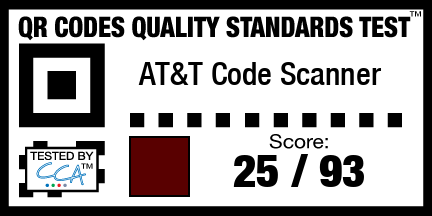
Test Results
AT&T used technology from Mobile Tag Inc., a provider of universal bar code reader technology, to implement their bar code reader.
Passed
|-
| Test Case 1: Phone Number || 10 points
|-
| Test Case 5: YouTube Video || 4 points
|-
| Test Case 6: FaceBook || 2 points
|-
| Test Case 7: Twitter || 2 points
|-
| Test Case 12.03: VCard - Encoding || 2 points
|-
| Test Case 12.06: VCard - Role || 1 points
|-
| Test Case 12.11: VCard - Phone Numbers || 2 points
|-
| Test Case 12.13: VCard - Cell Numbers || 2 points
|-
| Total || 25 points
Failed
|-
| Test Case 2: SMS Text || 10/10
|-
| Test Case 3: Email Address || 5/5
|-
| Test Case 4: Website Address || 5/5
|-
| Test Case 9: Events || 4/4
|-
| Test Case 10: Geo Locations || 4/4
|-
| Test Case 11.1: MeCard - Phone || 10/10
|-
| Test Case 11.2: MeCard - Address || 5/5
|-
| Test Case 11.3: MeCard - PO Box and Extended || 2/2
|-
| Test Case 11.4: MeCard - Dates || 1/1
|-
| Test Case 11.5: MeCard - Notes || 2/2
|-
| Test Case 12.1: VCard - Basic Wikipedia || 2/2
|-
| Test Case 12.02: VCard - Types || 1/1
|-
| Test Case 12.04: VCard - Title || 1/1
|-
| Test Case 12.05: VCard - Nickname || 1/1
|-
| Test Case 12.07: VCard - Organization || 1/1
|-
| Test Case 12.08: VCard - Address || 1/1
|-
| Test Case 12.09: VCard - PO Box and Extended Address || 1/1
|-
| Test Case 12.10: VCard - Websites || 1/1
|-
| Test Case 12.12: VCard - Fax Numbers || 2/2
|-
| Test Case 12.14: VCard - Pager Numbers || 1/1
|-
| Test Case 12.15: VCard - Email || 2/2
|-
| Test Case 12.16: VCard - General Chat Methods || 1/1
|-
| Test Case 12.17: VCard - Android Chat Methods || 1/1
|-
| Test Case 12.18: VCard - Other Chat Methods || 1/1
|-
| Test Case 12.20: VCard - Dates || 1/1
|-
| Test Case 12.21: VCard - Custom Labels || 1/1
|-
| Test Case 12.24: VCard - Show as Company || 1/1
|-
| Total || 93/93
Not Supported on iOS
The following are not possible due to bugs or limitations in Apples iOS operating system which apple would have to fix for them to work properly.
|-
| Test Case 8: WIFI || 0/4
|-
| Test Case 12.19: VCard - Gender || 0/1
|-
| Test Case 12.22: VCard - Relationships || 0/1
|-
| Test Case 12.23: VCard - Related Names and Labels || 0/1
By clicking “ACCEPT All COOKIES”, you agree to the storing of cookies on your device to enhance site navigation, analyze site usage, and assist in our marketing efforts. Privacy Policies